VCVacuums
LG CordZero brush bar stops spinning or loses suction
SymptomThe LG CordZero stick vacuum has a brush bar that stops rotating or the suction becomes noticeably weaker during cleaning.
2026.08.02
SafetyLG CordZero units are battery powered and do not contain user accessible mains voltage service points in normal maintenance. Do not open the battery pack or repair damaged lithium ion cells. Replace the battery assembly if it is swollen, damaged, overheated, or unable to hold a charge.
Confirm the symptom
Start with a controlled test. Remove the floor nozzle from the wand and run the vacuum on a clear surface. Confirm whether the motor runs normally while the brush bar remains stopped, or whether the vacuum motor itself sounds weak. These two symptoms point to different areas.
A brush bar that stops while suction remains strong usually indicates a jam, worn brush drive, or protection shutdown. A vacuum that sounds normal but picks up poorly usually has an airflow restriction, dirty filter system, or a battery that cannot maintain operating voltage under load.
LG CordZero models in this range do not use service error codes for these conditions. Diagnosis is based on airflow, mechanical inspection, and battery performance.
Inspect the brush bar and nozzle
Remove the mechanical load first. Switch the vacuum off and remove the battery before working on the floor nozzle. Never pull trapped material from a moving brush assembly.
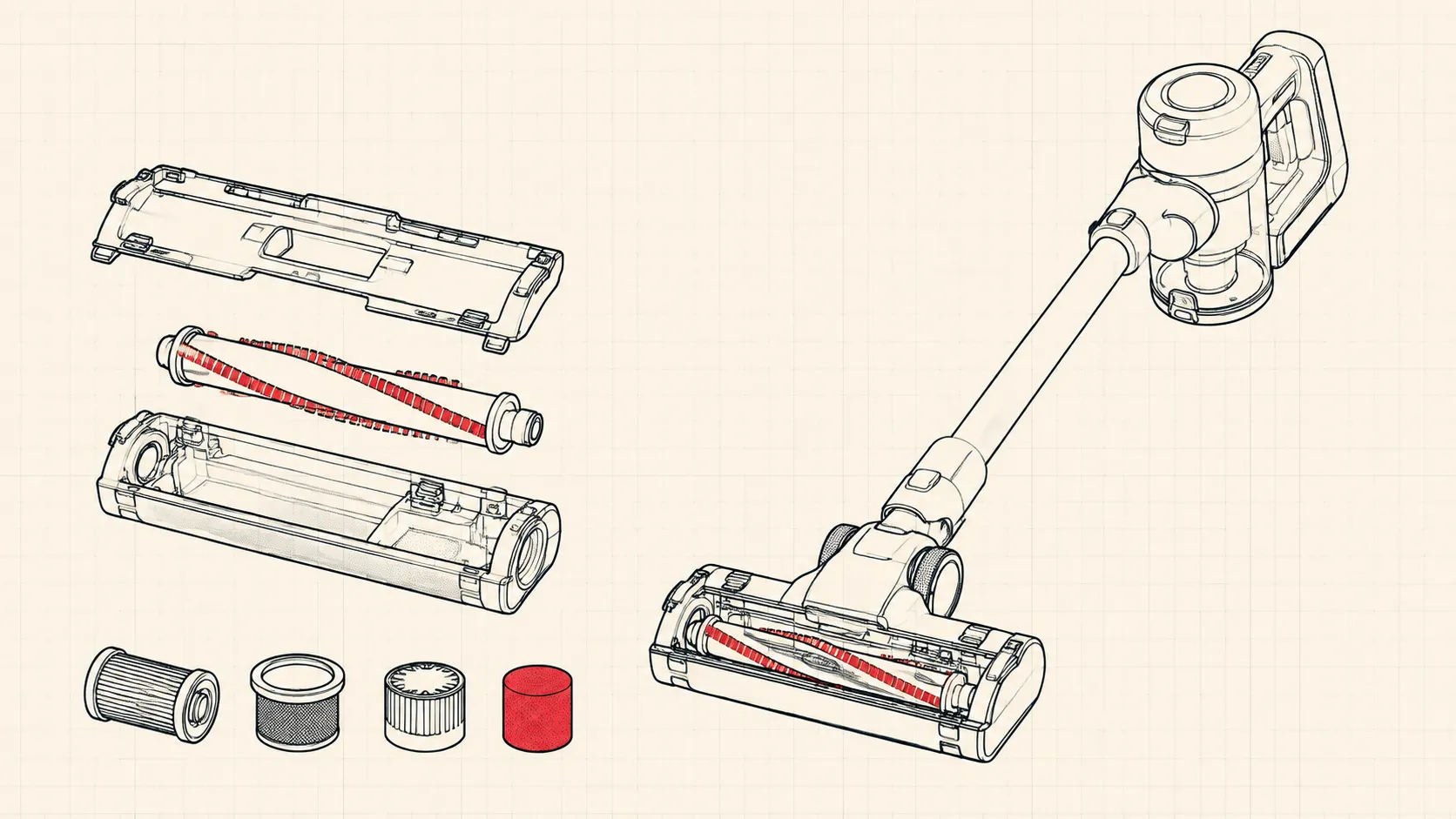
Inspect both ends of the brush bar. Hair, thread, carpet fibers, and pet fur often collect behind the end caps and increase resistance. Remove the brush bar according to the nozzle design and cut away wrapped debris with scissors. Do not damage the bristles or drive surfaces.
Spin the brush bar by hand. It should rotate smoothly with light resistance. Grinding, side play, or a tight spot indicates a worn bearing, damaged end support, or internal nozzle drive problem. A replacement brush assembly is usually more economical than rebuilding a worn nozzle.
Check the air path through the nozzle, wand, and inlet. A flashlight helps identify compacted debris that is not visible from the outside.
Check suction restrictions
Follow the airflow path in order. Start at the floor head and work back toward the dust bin. A partial blockage can reduce suction even when the motor sounds normal.
Remove the dust bin and inspect the inlet channel. Empty the bin before testing. A full bin can reduce airflow and make the vacuum appear to have a motor fault.
Check the wand for obstructions by looking through it from both ends. Remove compacted dust, paper, or small objects before reinstalling the wand.
Inspect the cyclone or separator area inside the bin. Fine dust buildup can reduce separation efficiency and load the filters faster. Clean dry components only unless the LG manual for the exact model states otherwise.
Service the filter system
Clean filters before replacing expensive parts. LG CordZero models use washable and replaceable filter elements. A blocked filter is one of the most common causes of reduced suction.
Remove the filters and tap loose dust into a waste container. Wash washable filter parts with clean water only when specified for the model. Allow all washed components to dry completely before installation. A damp filter can restrict airflow and may damage the vacuum motor.
Do not operate the vacuum without the required filters installed. Fine dust can enter the motor area and create secondary damage.
Replace filters that remain dirty after cleaning, have damaged seals, or no longer fit correctly. Filter replacement intervals depend on use, but heavy pet hair or renovation dust requires more frequent inspection.
Check battery condition
Evaluate the battery under load. A CordZero battery can show a full charge indicator but still fail when the motor demands current.
Charge the battery fully and test the vacuum in normal mode. If suction drops quickly after startup, compare performance with a known good compatible battery if available. A weak battery often causes reduced power, short runtime, or shutdown during higher suction settings.
Do not open the battery case. Lithium ion cells require controlled service equipment and damaged packs can become a fire hazard. Replace the complete battery pack with the correct LG part.
Decide repair versus replacement
Match the repair cost to appliance age. Cleaning a blockage or replacing filters is normally economical. A brush bar replacement or battery replacement may also be reasonable when the vacuum body, charger, and accessories are in good condition.
If the vacuum requires a motor assembly, battery pack, and nozzle assembly at the same time, compare the total parts cost with the price of a new unit. Cordless vacuum technology changes quickly, and major electronic repairs on an older unit are often not financially justified.
Final verification
Complete a performance test. Reinstall the dust bin, filters, wand, and nozzle. Run the vacuum for several minutes on normal and higher power settings. Confirm steady suction, normal brush rotation, and normal battery runtime. A correctly repaired CordZero should maintain airflow without unusual noise, heat, or repeated shutdown.