ACAir conditionersCH05CH53
LG air conditioner CH05: the indoor–outdoor communication line
SymptomThe indoor unit powers up and the fan runs, but nothing gets cold and CH05 (or CH53) appears on the display or flashes on the indicator LEDs.
2026.07.24
SafetyIsolate at the dedicated breaker or isolator before opening either unit, and verify dead with a meter. Outdoor inverter units hold a DC bus charge for several minutes after isolation.
Split systems run a signal line between the indoor and outdoor units alongside the power conductors. The indoor board sends commands, the outdoor board acknowledges. CH05 is raised when those acknowledgements stop arriving.
That makes it a wiring code far more often than a board code, which matters, because the two repairs differ by an order of magnitude in cost.
1. The terminal block at the outdoor unit
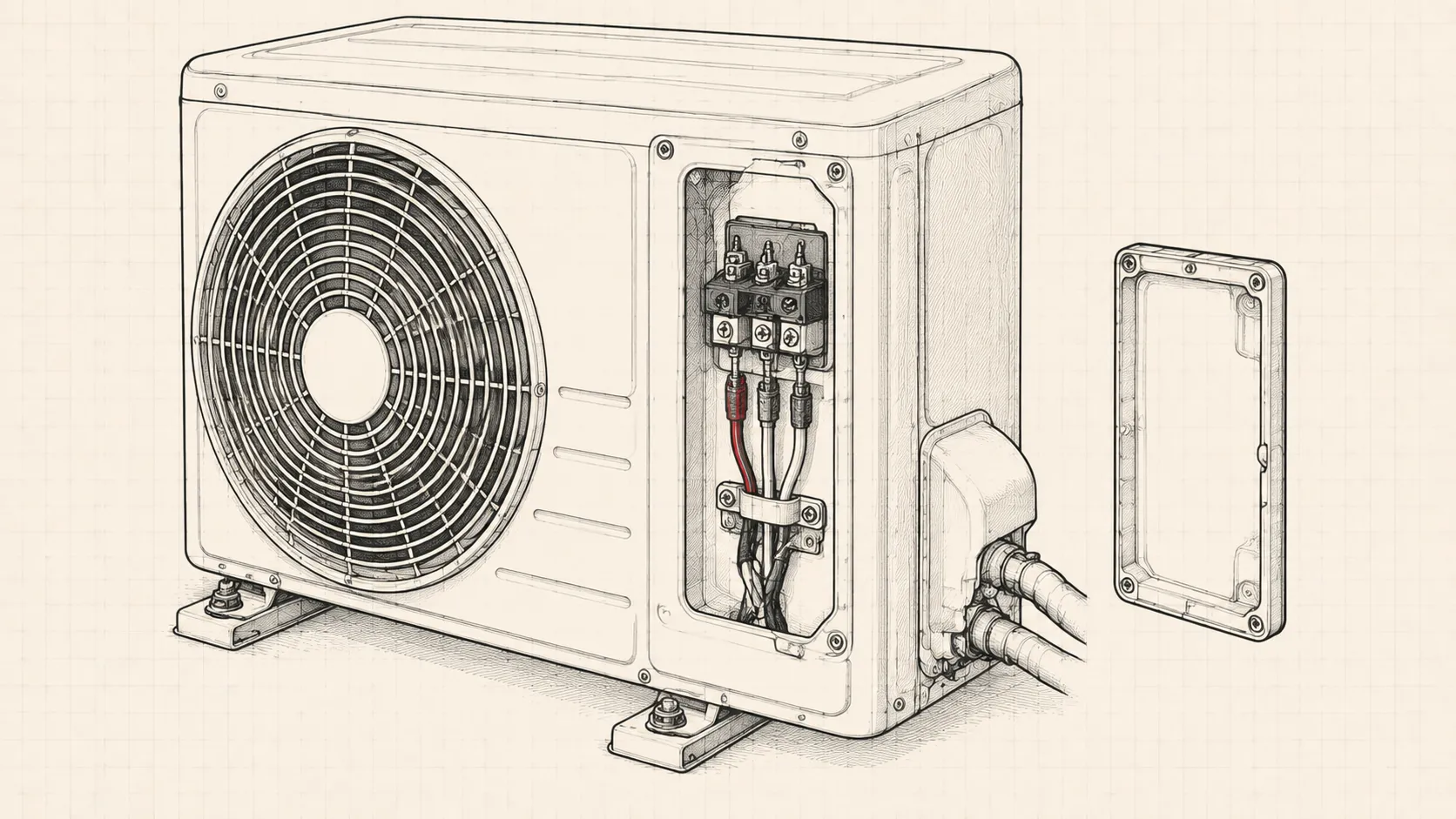
Remove the outdoor unit’s service cover: normally two or three screws on the right-hand side panel. Behind it is the interconnect terminal block: numbered terminals with the cable from indoors landing on them.
This is where the fault lives most of the time. Look for:
- A loose screw. Thermal cycling backs terminal screws off over years. Tighten every one, including the ones that look fine.
- Green or white corrosion. Outdoor units breathe damp air. Corroded copper under a terminal screw makes a resistive joint that passes power but attenuates signal.
- A blackened terminal. Heat damage means the joint has been arcing. Clean it back to bright copper, or replace the block.
- Insects. Ant and wasp nests in outdoor terminal boxes are routine, and their debris is conductive when damp.
2. The cable run itself
Follow the interconnect cable between the two units.
- Staples and clips. A staple driven through the sheath can pierce the insulation of the signal core without cutting it. It works for years, then a damp season shorts it.
- Shared conduit with mains. Running the interconnect alongside a separate mains circuit induces noise onto the signal line. It causes intermittent CH05 that appears in the afternoon and clears at night, which is maddening to chase.
- Joints in the run. Any junction box in the interconnect is a suspect. Splices made with connector blocks in an unsealed outdoor box will eventually cause this.
- Undersized or damaged cable. Check for rodent damage where the cable leaves the building.
3. Confirm the outdoor unit has power
Before blaming communication, prove the outdoor unit is powered at all. A dead outdoor unit cannot answer, and that presents identically to a signal fault.
Checks at the outdoor terminal block (live: competent persons only)
- Supply between L and N
- Nominal mains voltage
- Voltage drop under start
- Small: a large sag means undersized supply
- Earth continuity
- Present and solid
- Signal line
- Varying DC: a fixed reading suggests one board is silent
If there is no supply at the outdoor terminals, the fault is upstream: the breaker, the isolator, or the indoor unit’s relay that switches outdoor power on some configurations.
4. Reset and observe
With the wiring made good, restore power and leave the system for a full three-minute compressor protection delay before judging it. Restarting repeatedly during that window looks like a persistent fault when it is only the protection timer.
If CH05 clears and then returns after several hours of running, treat it as an intermittent connection rather than a failed board, thermal expansion at a marginal joint is exactly this pattern.
5. When it really is a board
Boards do fail, and the honest indicators are:
- Terminals clean and tight, cable proven end to end.
- Outdoor unit confirmed powered.
- No response from the outdoor unit at all on any mode.
- Visible damage on the PCB: swollen electrolytics, scorched tracks, a cracked solder joint around a relay.
Prevention
Take the outdoor cover off once a year, check every terminal screw for tightness, and give the block a blast of contact cleaner. It is a ten-minute job that prevents the most common cause of the most expensive-looking code on the system.